
Why US Casino Apps Lock to Portrait on Tablets
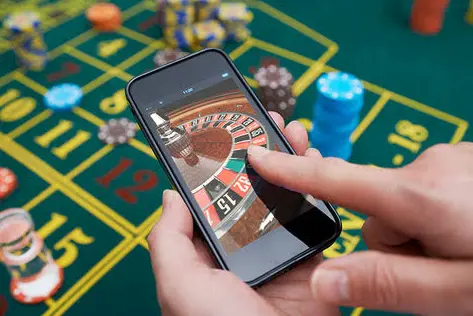
A US casino app that refuses to rotate on a tablet is almost never a gyroscope failure — it is a hardcoded orientation lock buried in the Android manifest or the iOS info property list. Casino operators ship these builds locked to portrait because the slot reels, cashier screens, and KYC forms were designed for a 9:16 canvas, and nobody wants to re-engineer a bonus buy flow for a 4:3 landscape viewport. The problem is that tablets report a different screen orientation configuration than phones, and the app's rotation handler simply ignores the sensor event. 🎰
Before you touch a single setting, verify whether the lock is app-level or device-level. Swipe down the quick settings panel and check if auto-rotate is enabled system-wide. If the home screen rotates but the casino app stays frozen in portrait, the lock is baked into the package. If nothing rotates, your tablet's rotation sensor is either disabled in accessibility settings or physically disconnected — rare on modern hardware but common on refurbished units sold through gray-market channels.
Digging Into the Android Manifest Orientation Flag
On Android, the culprit is the android:screenOrientation attribute inside the activity declaration. A value of "portrait" or "sensorPortrait" means the OS will never hand the app a landscape configuration, no matter how you tilt the tablet. Pull the APK with a package inspector and check every activity node. If you find "portrait" on the main casino activity, you have three options: wait for an operator patch, force rotation through developer options, or sideload a rebuilt manifest — the last one voids your account security posture and will trip integrity checks on regulated platforms.
Developer options offer a cleaner path. Enable "Force activities to be resizable" and toggle "Allow window resizing" inside the freeform window settings. This bypasses the manifest lock at the window manager level, and most modern casino apps will reflow their layout when forced into a landscape container. If the reels stretch but the cashier crashes, the app's layout engine was never built for wide aspect ratios — that is a design failure, not a configuration error, and no amount of tinkering will fix a missing layout resource. 📱
iOS Tablet Rotation Failures and Guided Access Traps
On iPadOS, the equivalent lock lives in the UISupportedInterfaceOrientations array inside the app bundle. Casino apps distributed through enterprise profiles frequently restrict this array to portrait only. But there is a second, nastier cause: Guided Access. If a previous user enabled Guided Access and locked the tablet into one orientation, the app cannot rotate regardless of its own settings. Triple-click the side button, authenticate, and disable the restriction. This single misconfiguration accounts for more "broken rotation" tickets than every manifest bug combined.

Also audit the Display Zoom setting. Tablets running in zoomed mode report a smaller logical viewport, and some casino apps interpret that as a phone-class device, triggering their portrait-only code path. Switch back to standard zoom, hard restart the device, and relaunch. 🎲
When the Operator Build Is Simply Broken
If you have cleared the app cache, verified sensor permissions, disabled Guided Access, forced resizability, and the app still will not rotate, the build is defective. Regulated US operators push frequent updates, and orientation regressions slip through QA when the test device matrix omits large-format tablets. Document your device model, OS build number, and app version, then file a support ticket with the exact reproduction steps. A tablet rotation bug that survives every client-side workaround is a server-side build flag, and only the operator's engineering team can flip it.
One last check: confirm the app is not running inside a compatibility wrapper or a cloned secure container. Sandboxed instances frequently drop sensor bridge permissions, which silently kills rotation while every other feature works perfectly. Uninstall the clone, install the official package from the operator's verified distribution channel, and the sensor bridge will re-register on first launch.